
by Reema Duggal | Jul 11, 2026
The AI tool I reach for many times a day is Claude, It’s changed how I use AI as a thinking partner.
5 reasons why:
Claude Holds The Thread
The biggest difference is Projects. Claude stays with a project instead of resetting every time. I can drop in a half-finished outline, argue with it about structure, come back an hour later, and it still remembers what we were building and why. That continuity is what makes it feel like a thinking partner instead of a search box: the work compounds instead of starting over each time.
Claude Pushes Back
A thinking partner that just agrees with you isn’t much use. What I’ve found valuable about Claude is that it will tell me when an idea is underdeveloped, when a plan has a gap, or when I’m about to make something more complicated than it needs to be. That friction is the useful. It’s caught problems in my own thinking before they became problems in a deliverable.
Claude Handles Range Without Losing Depth
In a given week I’ll use it to draft an outline for a content pillar, work through a messy spreadsheet, think out loud about a positioning problem. And now we’re building software applications. Switching topics doesn’t cost quality. It’s not a generalist skimming the surface of everything. It goes as deep as the task actually needs, whether that’s a quick gut-check or genuinely picking apart a technical decision.
Claude Works the Way I Work
A lot of real work isn’t a single question with a single answer — it’s messy, iterative, half-formed at the start. Claude is comfortable in that mess. I can hand it a rough draft, a half-baked framework, or just a “here’s what I’m trying to figure out,” and it meets me where the thinking actually is instead of forcing me to have a clean question ready first.
Claude Is Honest About What It Doesn’t Know
This one matters. AI can be very confident AND very wrong. What I’ve come to trust about working with Claude is that it flags uncertainty instead of papering over it, and it’ll tell me directly when something is outside what it can reliably do. For a thinking partner, knowing where the edges are is worth more than false confidence.
None of this makes it a replacement for expertise, judgment, or the people I actually work with. Claude’s a partner in the thinking, not a substitute for it. But as a place to work through a problem out loud, stress-test an idea, or just get moving on a blank page. It’s become the first place I go. Most days, more than once.
by Reema Duggal | Sep 29, 2025
I've worked in the tech industry a long time. I've worked with enterprise applications, oen source applications, productivity applications, and a million plugins.
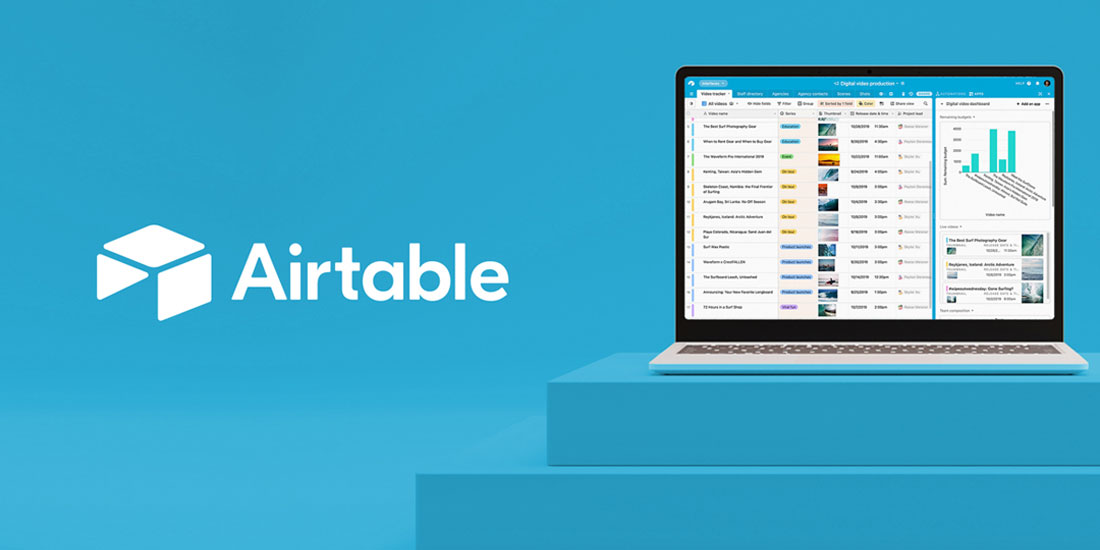
Recently, as the low code movement gains steam (and I lead the Roadmap To MVP Programs for women entrepreneurs with regional Innovation centers WEtech and Haltech, some notable software players stand out. Today, I need to talk about my conversion to Airtable.
Their slogan is:
Build A Better Way To Work
Airtable’s intuitive yet powerful platform gives everyone the flexibility to create their own solution and make work flow faster.
5 Things I Love
- It's like Excel on steroids. It is a database, but instead of having to write SQL code and queries, you add your column headers as fields, enter your data in rows, link records in different tables, and then organize it in every way possible. I am realizing sometimes now when in Excel or Google Sheets - I'm getting frustrated that I cannot view my data in single record, kanban, or cards views. Sometimes, I find myself copying excel data into an empty Airtable table just so I can really interact with the information and understand it.
- Gather data through Airtable Forms in minutes. It's just another view. Just like above, create your column headers as fields in your main table, create another view called Form - and add your logo. Drag and drop any fields in the form out that you do not want to show, share the form with a link or embed it, and Go! It takes mere minutes.
- Automations and Extensions greatly improve workflow. When a record is added, send an email, or send a slack message, or append a row in Google Sheets. So many ways to improve workflow, simplify life, and try new processes in very little time.
- On a Pro Plan, one year of backups. Well, that is a no brainer. You can always pull a snapshot back into your database if something goes wrong. However, I do keep the schema backed up separately.
- Airtable integrates with everything. It has some great pre-built out of the box connectors, but with Zapier or Make - it can integrate with a lot of other software. Currently, it seems to be leading - with a ton of companies vying to show they integrate with Airtable.
Give it a try. The Airtable Community is great. Lots of help.
www.airtable.com

by Reema Duggal | May 29, 2023
originally published on WeTech Alliance
What is a Low Code Tool?
Low-code / no-code tools are a type of software development platform that allows Start-up Founders to create business/technology solutions without having to write code.
These platforms are becoming increasingly popular due to their ease of use and ability to quickly create applications, without having to hire software developers to build Minimum Viable Products (MVP’s) and sometimes full-scale applications.
What Can You Build With Them?
Not sure what you can build with low-code / no-code tools? Here are seven examples:
- Membership Sites - sell your services, courses, time to your audience and collect regular payments.
- Online Stores - sell your products around the world.
- Marketplaces - bring buyers and sellers together in your marketplace platform.
- Tracking Systems - track customers, applicants, trainees, volunteers, or donors throughout their journey.
- Event Planning - plan events and manage team tasks to get things done.
- Asset Management - manage digital assets, brand identity, videos, images, anything!
- Business Process Applications - automate your processes and speed up service and payments.
But there are many more possibilities, once you define your requirements and find the right platform.
How Technical Do You Have To Be To Use Low Code / No Code Tools?
Not that technical at all. But you do have to be willing to learn how applications are built and work, including:
- Defining business processes
- Defining user journeys
- Defining the features / functions you need / your users need.
- Defining the data you need / your users need.
- Finding the right application platform.
Great news. That’s exactly what you are going to learn in the Roadmap TO MVP Program.
What Are The Benefits Of Low Code Tools
Low code tools provide a number of advantages over traditional coding. Five advantages are:
- Easier To Learn - Once you understand the data, logic, and presentation layers - it is often straightforward to build your application. You do not have to learn coding languages or program the application. Most low-code / no-code tools provide templates to get started and learn the fundamentals.
- Cost Effective - Many low-code / no-code tools have free starter trials and/or a low monthly starting fee. Usually you can start to build your MVP with an investment of under $100.
- Speed To Market - Think of low-code / no-code tools as something that already has many of the fundamental building blocks built to get an application built. You will configure it with your brand identity, flows, and data. This makes building time much less than traditional software development.
- Require Less Resources In The MVP Stage - You will be the primary resource in building your application. You won’t need software developers at the beginning. Once your MVP is built, launched, and tested in the market - you will have a solid understanding of where you want to go next. Then you can bring in more resources as you scale.
- Pivot Easily - Because of ease of configuration and speed in building, you can change your application as needed once customer/user feedback comes in. You will not have to wait for external resources to be available to you.
Are There Any Limitations of Low Code / No Code Tools?
Low code tools have some limitations. These tools are not suitable for highly complex applications. They are ultimately not as flexible as traditional software development as they require the use of a predefined set of features. Finally, they are limited in terms of scalability.
But they are great for quickly creating applications that you can take to market and test. Even if the application needs to evolve to using traditional software development at a later date, you will have:
- Clearly defined all your requirements
- Built and tested a Minimum Viable Product
- Have the knowledge and expertise to easily work with software developers to take it to the next level
Conclusion
Low-code / No-code tools are a great way to quickly create applications without having to write code. Their advantages will help you get to market in record time. And during this journey you will build a set of skills that will help you grow your business in the long term.
------------------------------------
written by Reema Duggal, Presenter and Facilitator of Roadmap To MVP 2023

by Reema Duggal | Apr 8, 2023
Website builders have become increasingly popular in recent years. They offer a great way to create a professional and polished website without the need to learn to code. Let's look at five I think are great to work with:
Carrd
Carrd is a one page website builder. It is a simple solution that allows users to create a website quickly and easily. It offers an intuitive drag and drop interface and also allows users to add custom HTML and CSS to customize their website.
Pros:
- Easy to use: simple drag-and-drop interface that makes it easy to create a one page website without any coding knowledge.
- Professional designs: nice selection of modern and professional templates, allowing you to create a website that looks great
- Inexpensive: free but limited, pro plan is USD $19 per year for 10 sites
Cons:
- Limited customization options: Weebly provides some customization options, but compared to other website builders, these are quite limited.
- Limited SEO tools: Weebly’s SEO tools are quite basic, so you might need to look into additional tools to optimize your website.
- Has knowledgebase, but very limited support
Wix
Wix is a website builder that offers an easy-to-use drag-and-drop interface. It also provides a wide range of customization options and a multitude of template designs to choose from. With Wix, you can create a professional website quickly and easily, with no coding required.
Pros:
- Easy to use: simple drag-and-drop interface that makes it easy to create a multi-page website without any coding knowledge.
- Customizable: Wix provides a wide range of customization options, allowing you to create a unique website that fits your style and vision.
- Template designs: Wix has a huge selection of template designs, ranging from business and eCommerce websites to personal blogs and portfolios.
Cons:
- Limited design freedom: Wix limits your design freedom, as you can only use the templates and customization options that it provides.
- Limited features: Wix has some features, such as analytics and SEO tools, but they are quite limited compared to other website builders.
- Limited scalability: Wix is great for small websites, but as your website grows, it can be difficult to scale with Wix, and you might need to look into other options.
Squarespace
Squarespace is another popular website builder, offering a wide range of templates and customization options. It also provides powerful eCommerce tools and analytics, making it a great choice for online stores and businesses.
Pros:
- Professional designs: Squarespace has a selection of modern and professional templates, allowing you to create a website that looks great and is easy to navigate.
- Powerful eCommerce tools: Squarespace provides powerful eCommerce tools, such as a shopping cart, payment gateways, and inventory tracking.
- Analytics: Squarespace offers detailed analytics, allowing you to track the performance of your website and make changes accordingly.
Cons:
- Expensive: Squarespace’s plans can be quite expensive, and you might need to invest in additional features to get the most out of the platform.
- Limited customization options: Squarespace provides some customization options, but compared to other website builders, these are quite limited.
- Limited SEO tools: Squarespace’s SEO tools are quite basic, so you might need to look into additional tools to optimize your website.
WordPress
WordPress is an open-source platform that is used by millions of websites around the world. As of January 2023, WordPress runs over 800 million sites globally, representing 43% of the global market. It allows you to create a website quickly and easily, and it also provides plenty of customization options and plugins.
Pros:
- Customizable: WordPress allows you to customize your website with themes, plugins, and widgets.
- Easy to use: WordPress has a simple drag-and-drop interface that makes it easy for anyone to create a website.
- SEO friendly: WordPress is designed to be SEO friendly, allowing you to optimize your website for search engine rankings.
Cons:
- Hosting: You will need to purchase hosting for your WordPress website separately
- Security: WordPress is open-source, which means that it is vulnerable to security threats.
- Expensive: There are free themes, but to make WordPress really work you, professional themes are required. My favourite is from Elegant Themes and runs about US $250 for a lifetime subscription
Webflow
Webflow is a visual website builder that allows users to create websites with a drag and drop interface. It is designed for designers and allows infinite design customization. It also allows users to take advantage of more advanced features such as custom CSS and JavaScript.
Pros
- Flexibility: provides a lot of flexibility for creating a website. Combination drag and drop with sophisticated fine tuning of details
- No Need For Plugins: Webflow comes with many features already built in - instead of extra plugins
- Powerful features: integration with other data sources such as Airtable
Cons
- Lack of code customizations. If you want to customize websites at the code level, it is not possible with Webflow.
- Not good for Ecommerce: while fully featured, ecommerce can get clunky using webflow
- Expensive: plans range from $12 to $45 per month - no free plan
When it comes to choosing the best website builder, there is no one-size-fits-all answer. Every website builder has its own pros and cons, and the best one for you will depend on your needs and preferences. Whether you’re looking for an easy-to-use drag-and-drop interface, powerful eCommerce tools, or SEO optimization, there is a website builder out there that will meet your needs.

by Reema Duggal | Feb 8, 2023
Three Contenders For Growing Businesses -
WooCommerce, Shopify, & BigCommerce
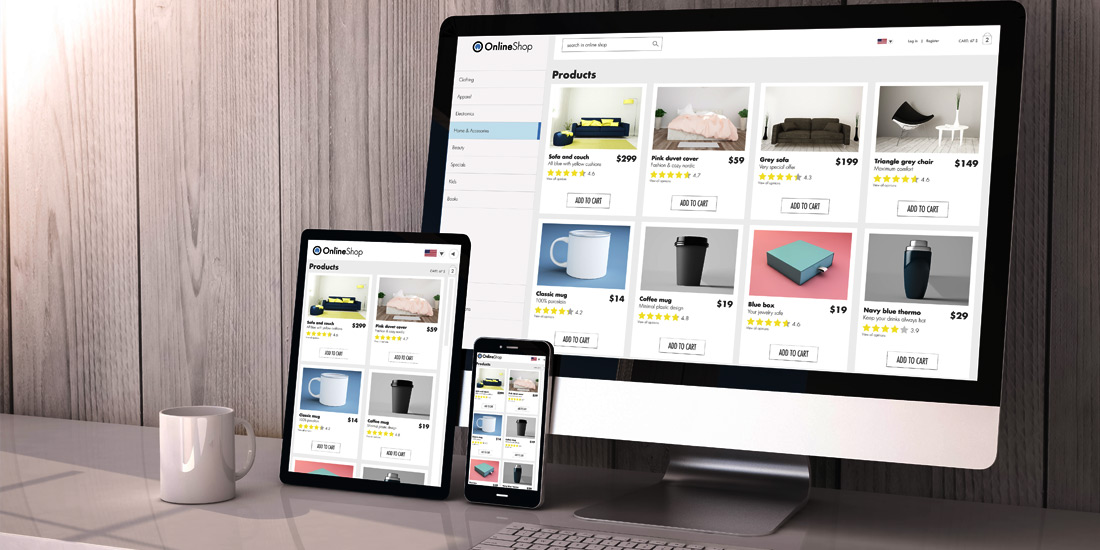
Customers around the world are buying more and more online. There is an ever-growing need for reliable and powerful eCommerce solutions. When it comes to choosing an eCommerce platform for a growing business, three of the most popular and powerful options are WooCommerce, Shopify, and BigCommerce. They offer different features, benefits, and drawbacks. In this article, we will compare them based on five key factors:
- Size of your business
- Ease of use
- Plugins required
- Integration with nventory management systems
- Pricing
Size of Business
- WooCommerce is an eCommerce platform that is best suited for small and medium-sized businesses. It is a great choice for businesses that require more control over their online store and also want to customize their store without the hassle of coding. From my perspective, it works for both Business to Consumer and Business To Business. Because it is integrated in WordPress, it works especially well when long form blog posts include links to specific products discussed in an article. But, it is not the right product for companies that have thousands of SKU's.
- Shopify is an eCommerce platform that is designed for businesses of all sizes. It is an ideal solution for entrepreneurs who are just starting out or established retail businesses that need a robust online presence. It is also an excellent choice for businesses that want to quickly set up and launch their online store. From my perspective Shopify excels in the Business To Consumer market. It's native integration with media channels, google shopping make it an ideal platform for the retail market.
- BigCommerce is an eCommerce platform designed for businesses of all sizes that may require more features and customization options. It is a great choice for businesses that need a powerful and scalable platform to quickly set up an online store. From my perspective, this is the right product for Business To Business companies. It has strong inventory management functionalities that are simple and elegant for companies that have complex products.
Ease of Use
- WooCommerce requires some technical knowledge to set up and manage. While it may be a bit more difficult to use than Shopify or BigCommerce, once you get the hang of it, it can be a very powerful and flexible platform.
- Shopify is one of the easiest eCommerce platforms to set up. It offers an intuitive user interface that makes setting up and managing an online store very easy. It has a wide range of features andplugins that make running an online store simple and efficient.
- BigCommerce is a powerful platform that is easy to use. It offers an intuitive user interface, a wide range of features, and plugins that make running an online store very simple.
Plugins Required
- WooCommerce requires plugins to be installed for it to extend it's functionality - but there is a plugin for everything - and they are easy to find.
- Shopify does not require any plugins to be installed for it to work. It offers a wide range of plugins available that can give you more functionality and customization options.
- BigCommerce does not require any plugins to be installed. It also offers a wide range of plugins that can give you more functionality and customization options.
Integration with Inventory Management Systems
- WooCommerce does not offer integration with inventory management systems. However, there are many plugins available that can help you integrate with other systems.
- Shopify has it's own Inventory Management solution called Stocky that's included in the Shopify POS Pro. And it has an API that allows for easy integration with other systems.
- BigCommerce has inventory management as part of it's core functionality. It also has an API that allows for easy integration with other systems.
Pricing
- WooCommerce is a free open-source platform, but you need to pay for hosting, a domain name, and other essential services. The cost of these services will depend on the size of your business and the features you need.
- Shopify offers a variety of plans ranging from $29 to $299 per month. It also offers an enterprise plan that can be customized to meet the unique needs of each business. It has a 14-day free trial so you can give it a try before committing to a plan.
- BigCommerce offers a range of plans ranging from $29.95 to $249.95 per month. Additionally, it offers a 15-day free trial so you can give it a try before committing to a plan.
- All prices are in USD
Conclusion
When it comes to choosing an eCommerce platform, there is no one-size-fits-all solution. WooCommerce, Shopify, and BigCommerce each offer unique features, benefits, and drawbacks. Ultimately, the best eCommerce platform for your business will depend on your individual needs and budget.
by Reema Duggal | May 31, 2019
One of the most important things that a business owner has to decide in their Ecommerce Journey, is the route they are going to take in their application strategy: package implementation, SAAS, or custom implementation. There are really important differences in all three - and the right solution depends on you and your company.
Package, SAAS, or Custom - What Do They Mean?
A Package implementation means you're going to:
- Use an application that has been built for your industry that has all the business functions, data constructs, and workflows built in.
- You'll have the opportunity to configure (no coding) the application with your data so the applications works for you.
- You'll also have the opportunity to customize (coding involved) with your specific workflows / data requirements by purchasing plugins or hiring a developer to customize the application. Although, every time there is an upgrade from the application vendor, the customizations may need updating also.
- Host the application on your servers or in a shared hosting environment
- Typical platforms can include WooCommerce, Magento, OpenCart
A SAAS implementation means you're going to:
- Use an application that has been built for your industry that has all the business functions, data constructs, and workflows built in
- Have the opportunity to configure (no coding) the application with your data so the applicatiion works for you.
- Have the ability to purchase approved plugins that can add functionality.
- Not have the opportunity to customize (coding involved) with your specific workflows / data requirements - as source code is not changeable.
- Subscribe to the platform by paying a monthly fee to run and host the site for you - generally worry free.
- Typical platforms include Shopify, BigCommerce, Magento
A Custom implementation means you're going to:
-
- Build an application with the business, data constructs, and workflows exactly as you need them for your business
- Hire a team including business analysts and developers to design and develop this custom application
- Customize the application to your heart's content
- Update and upgrade with new features whenever you want
- Typical application development platforms could be Azure, Ruby on Rails, PHP
So, How Do You Decide?
Reasons to go with a Package implementation:
- Process - Your business can fit into the package.
- People - You'll have access to a talent pool with skills in that package, and to a community of users and support forums that discuss business and technical issues
- Technology - You are comfortable maintaining the application and the hosting environment
- Money - There are open source application like woocommerce that free. But learning curve and plugins will add dollars. Other applications charge a monthly licensing fee on a per seat basis.
Reasons to go with a SAAS implementation:
- Process - Your business can fit into the package.
- People - You'll have access to a talent pool with skills in that package, and to a community of users and support forums that discuss business and technical issues
- Technology - You are NOT comfortable maintaining the application and the hosting environment.
- Money - For smaller companies with limited inventory and limited orders, SAAS is a godsend. For a fixed small fee per month + a per transaction fee - one can get started. However, when your volumes go up, and customer complexity in contract pricing comes into play, SAAS can become expensive. Also integrations to inventory management systems become expensive. Understanding total cost of ownership at every order volume / revenue level is really important.
Reasons to go with a Custom implementation:
- Process - Your business cannot fit into a package or SAAS implementation
- People - You have an in-house or outsourced IT team that is capable of building, documenting, hosting, and supporting the application
- Technology - You are comfortable with all aspects of designing, building, and maintaining the application and the hosting environment
- Money - More money spent up front on people, processes, and technology. Licensing costs will be less. Transaction fees will be less. Maintenance and updates will be more.